



Bitcoin has been the default crypto for over a decade, and even with newer chains catching up on speed and fees, it's still what most players hold and what most casinos accept first. MetaWin Casino is no exception, with BTC handling a meaningful chunk of player deposits.
Keep in mind that the flow is custodial only since Bitcoin doesn't support the Web3 Wallet linking that Ethereum and Solana do. Confirmations typically take 20 to 60 minutes once you've sent the BTC, and the minimum deposit on the platform is 0.0001 BTC.
Today, we'll walk you through how to deposit Bitcoin at MetaWin casino, screen by screen, and cover in detail what to expect in terms of confirmation times, fees, and how your BTC works once it's on the platform.
Why Deposit with BTC at MetaWin?
Bitcoin is still the most widely held crypto on the planet, so for plenty of people, depositing the BTC they already hold is simpler than swapping into a different coin first. It's also the deposit method most likely to just work, since Bitcoin doesn't run into card-issuer declines, regional payment blocks, or the deposit caps that come with traditional payment rails.
Once your deposit clears, you can play with Bitcoin online across MetaWin's full library of 5,000+ titles, including crypto slots, live dealer tables, and MetaWin Originals like Mines, Plinko, and Crash. The platform handles BTC the same way it handles every other supported coin, so there's no separate BTC-only lobby to deal with and no games gated behind a different currency.
Your BTC sits in your MetaWin Custodial Wallet once it clears, with the balance shown in BTC and a fiat equivalent next to it so you always know where you stand in dollar terms.
Did you know?
The first real-world Bitcoin transaction was for two pizzas in May 2010 - at today's prices, those pizzas would be worth tens of millions of dollars.
Web3 Wallet vs. Custodial Wallet - What's the Difference?
MetaWin offers two ways to deposit crypto, but only one of them works for Bitcoin.
The Web3 Wallet method lets you connect a self-custody wallet directly to your MetaWin account so you play from your own balance, with funds staying in your wallet the whole time. It's the route most players prefer when it's available, and it's currently supported for Ethereum and Solana only.
The Custodial Wallet method is what handles every other coin, Bitcoin included. You send your BTC to a unique deposit address generated by MetaWin, and the funds get credited to a custodial balance the casino holds for you while you play.
Because Bitcoin doesn't currently support the Web3 Wallet flow, all BTC deposits land in your Custodial Wallet by default. If self-custody play is important to you, the ETH guide and SOL guide cover the Web3 Wallet method on those networks instead. Still confused? Take a look at our beginners guide to crypto to help you understand the basics.
What You'll Need Before You Start
A few things to have ready before you go through the deposit:
- A funded Bitcoin wallet or exchange account, whether that's Coinbase, Binance, Kraken, Ledger, Trust Wallet, or any other service that holds BTC.
- A registered MetaWin account, which you can sign up for if you don't have one yet.
- Enough BTC to cover both the 0.0001 BTC minimum deposit and the Bitcoin network fee, which varies depending on how busy the network is at the time.
- A device with a stable internet connection, either desktop or mobile.
Did you know?
Bitcoin's total supply is hard-capped at 21 million coins - a figure written into its source code that cannot be changed without consensus from the entire network.
How to Deposit BTC at MetaWin, Step by Step
The whole process to deposit Bitcoin at MetaWin casino takes around five minutes on your end, plus the Bitcoin network's confirmation time once you've sent the funds. Here's how the whole thing works:
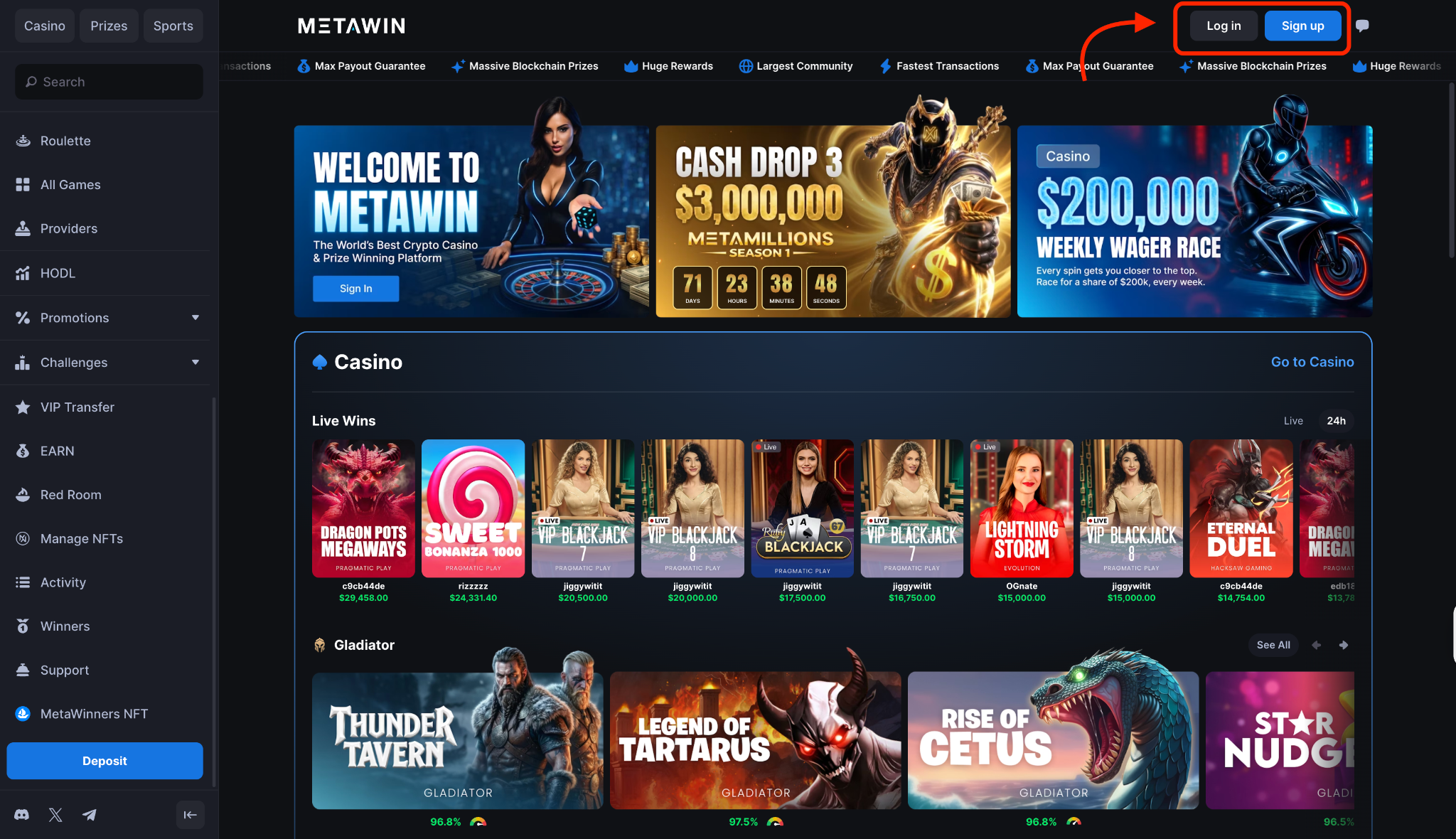
Step 1: Sign in to your MetaWin account
Open MetaWin in your browser and click Log In in the top-right corner of the homepage. If you don't have a MetaWin account yet, click Sign Up next to the Log In button and fill out the short registration form. After that, you'll be redirected to the main lobby.
Step 2: Open the Cashier and select Transfer Crypto
Look for the wallet button in the top-right corner of the screen and click it. A pop-up window will appear with three deposit options: Web3 Wallet (the default), Transfer Crypto, and Card Deposit. Tap the Transfer Crypto tab, which is the middle option and the only deposit method available for Bitcoin.
Step 3: Select Bitcoin and copy the deposit address
Open the currency selector and pick Bitcoin from the list. The panel below populates straight away with everything you need: a unique BTC deposit address, a scannable QR code, the network label, and the minimum deposit notice.
Make sure the Network field reads Bitcoin before you do anything else. MetaWin only accepts BTC sent on the Bitcoin mainnet, so wrapped BTC or BTC routed through another chain like Ethereum won't reach the address, and any funds sent that way may be lost for good.
You'll see the deposit address as a long string starting with bc1, 1, or 3, depending on the address format. Hit the Copy BTC Address button to copy the full string, or scan the QR code from your mobile wallet. It's worth pasting the address into a notes app afterwards to make sure it copied correctly before you send any BTC.
Step 4: Send BTC from your external wallet or exchange
Open your wallet or exchange, head to Withdraw, and paste the MetaWin BTC address into the recipient field. Enter an amount above the 0.0001 BTC minimum, check the network reads Bitcoin, and submit.
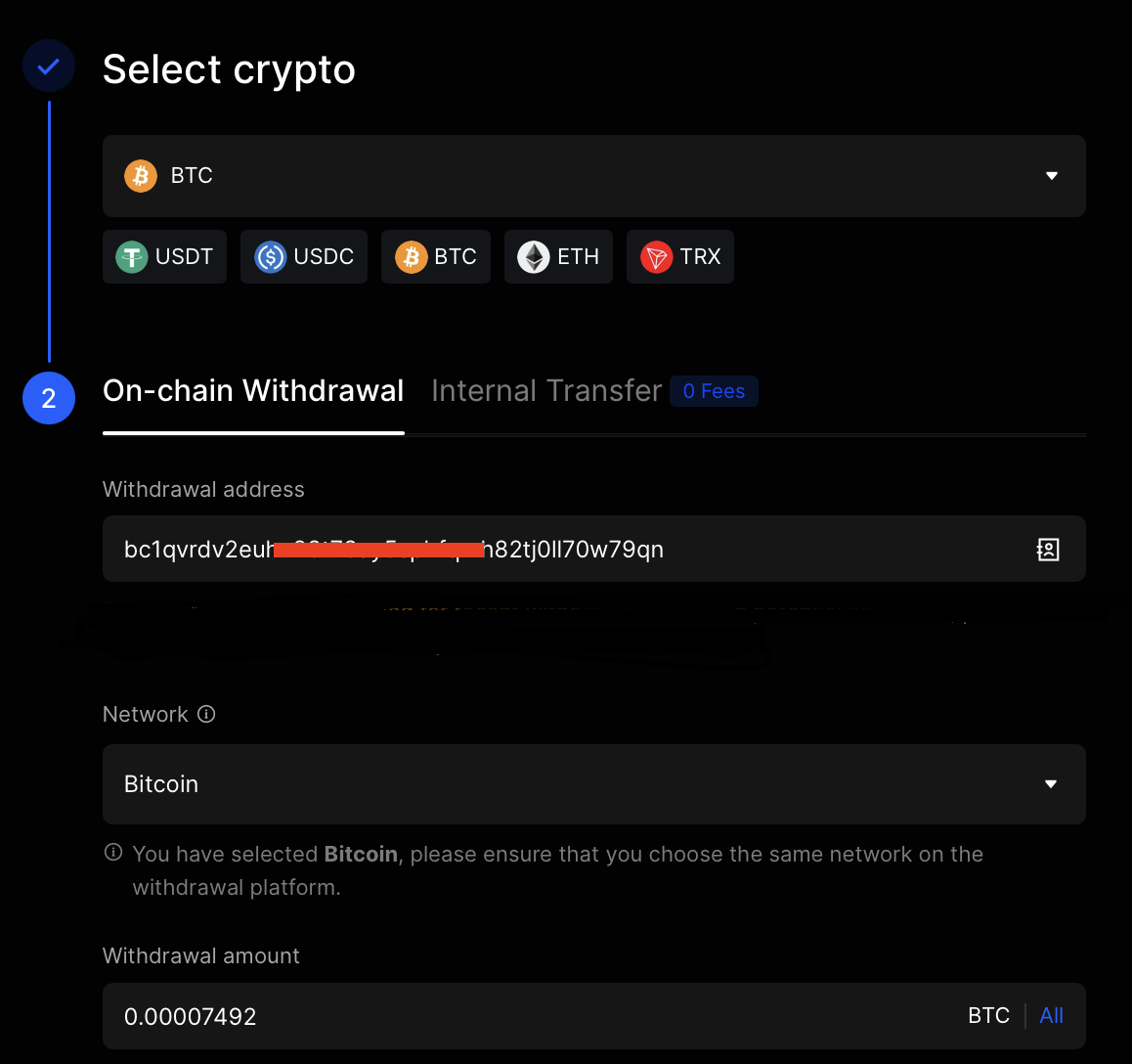
The network fee comes out of your end, so the amount that will appear at MetaWin will be what you sent minus the fee.
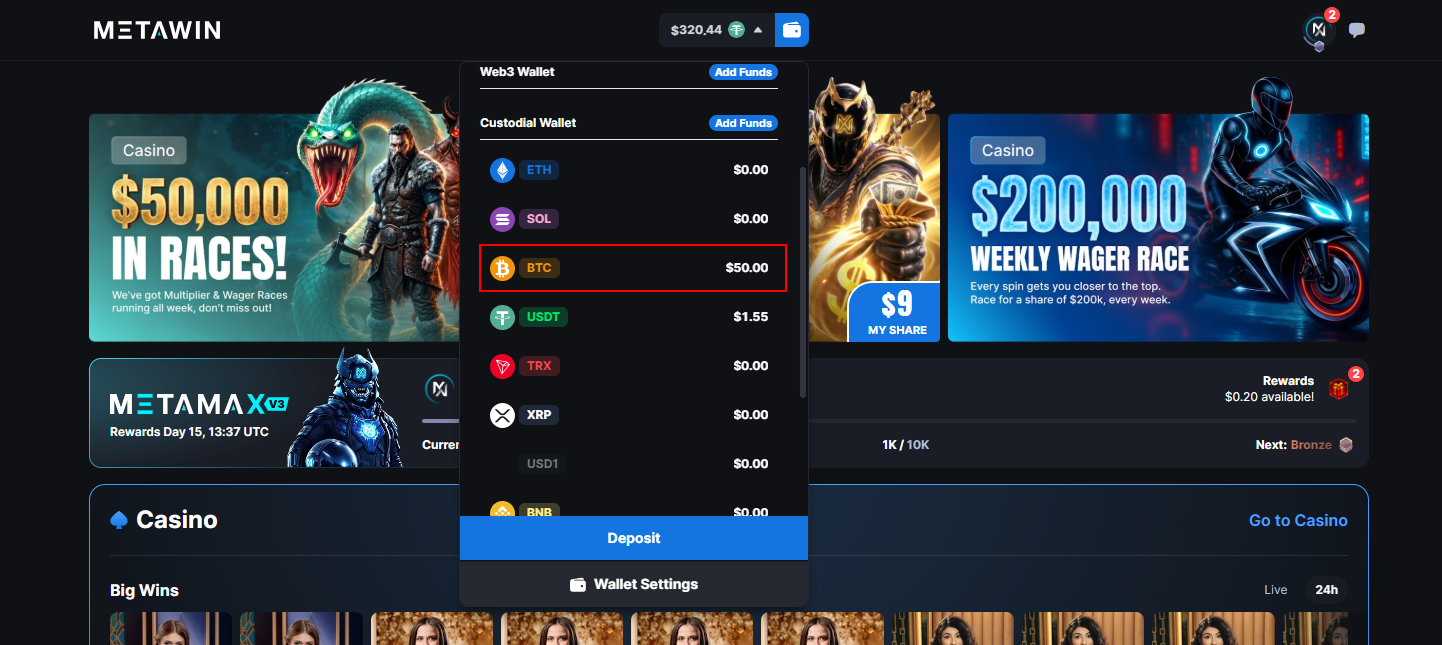
Step 5: Wait for confirmations and see your balance update
Most Bitcoin deposits clear in 20 to 60 minutes, and how long yours takes mostly depends on network traffic at the time you sent it. The Cashier marks the deposit as pending while the network confirms it, and the balance updates automatically once the new funds come through.

Author's Thoughts
Matija Antic
Bitcoin deposits need a bit of patience. Twenty minutes to an hour is normal, so if the Cashier still shows pending, give it time before you assume anything has gone wrong.
How to Play with BTC at MetaWin
Once your BTC has cleared into your Custodial Balance, you can use it the same way you would any other currency on the site.
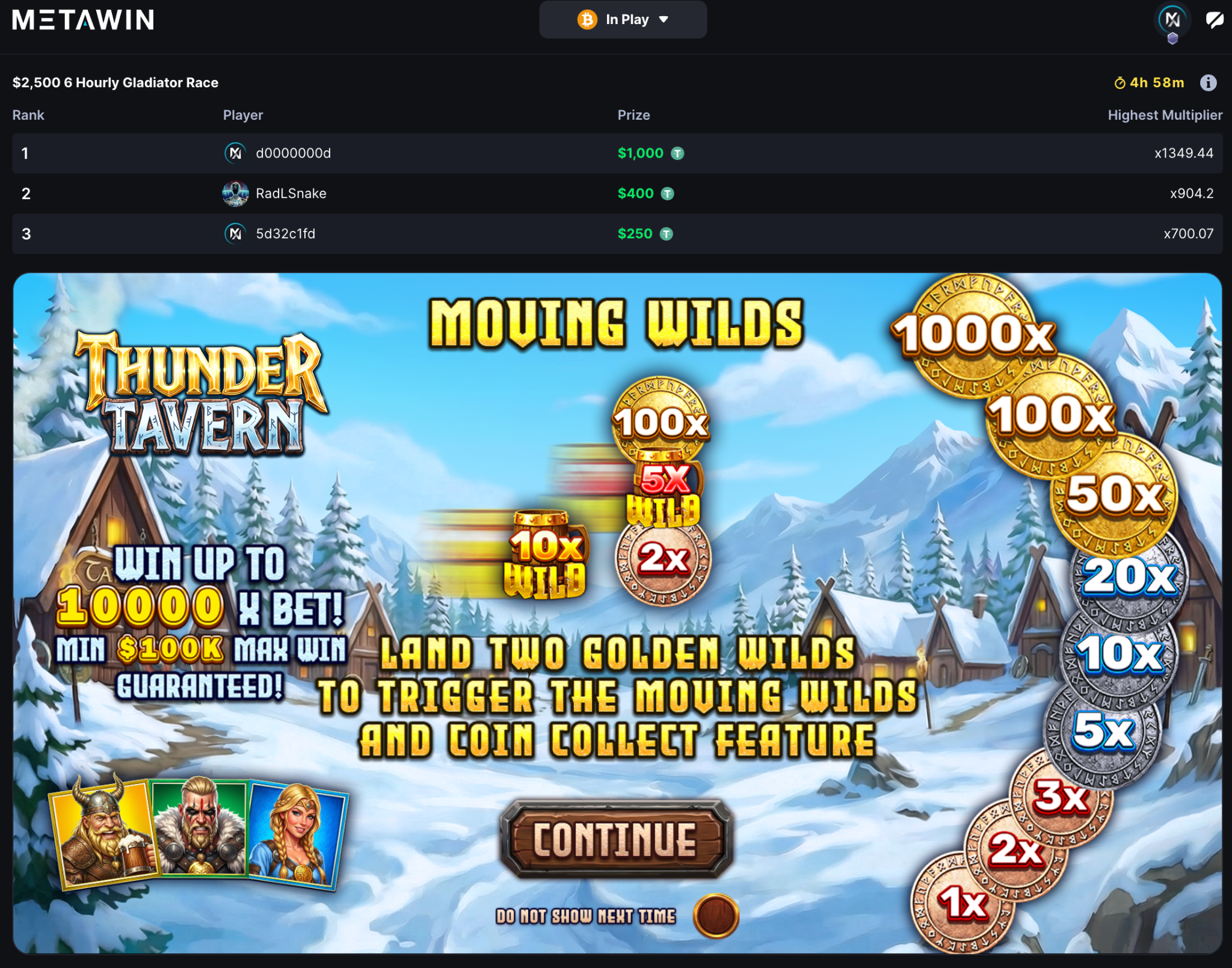
Open any game from the lobby, find the currency selector at the top-right of the screen, and switch it to BTC. The stake controls will then show your bet sizes in BTC, with the fiat equivalent listed underneath so you always know what you're risking in dollar terms.
You won't run into any restrictions on which games take BTC, since the full library of 5,000 titles supports it. The same BTC balance works on crypto slots, Crash Games, a few spins of Mines from the MetaWin Originals lineup, or on anything else in the catalog.
Most slots and live tables start at around the equivalent of $0.10 per round, so the entry stakes are low. Your BTC balance lives in your Custodial Wallet, and winnings go straight back to that balance for instant re-stake or withdrawal.
How to Withdraw BTC Winnings
Pulling BTC out runs back through the Cashier, just like the deposit did. Here's how the flow works.
- Click the wallet button in the top-right of the page and switch to the Withdraw tab.
- Pick Bitcoin from the currency selector, and check that the Network field reads Bitcoin before going any further.
- Paste your destination address into the recipient field.
- Type in the amount you want to withdraw. The minimum withdrawal is around $20, and keep an eye on the provider fee.
- Take one last look at the destination address before you submit, since blockchain transactions can't be reversed once they're broadcast.
- Hit confirm to send the withdrawal request.
Since your BTC was sitting in MetaWin's Custodial Balance the whole time, the casino handles the actual broadcasting of the transaction to the Bitcoin network on your behalf.
Author's Thoughts
Matija Antic
The network check is the one step I never skip with BTC. Wrapped Bitcoin or BTC sent over another chain won't arrive, and a blockchain transaction can't be reversed.
Tips for Depositing and Playing with BTC
A few things worth keeping in mind once you've got the basics down:
- If it's your first deposit, send a small test transaction first, just to confirm the address and network are correct before committing a larger amount.
- Always check Bitcoin mainnet is the selected network, since wrapped BTC or BTC routed through Ethereum, BSC, or another chain won't reach the address.
- Deposits below 0.0001 BTC won't be credited, so make sure your withdrawal amount from your sending wallet clears the threshold after the network fee comes out.
- BTC prices move fast, and the fiat value of your stake shifts with the market, so a 0.001 BTC bet today might play differently in dollar terms tomorrow.
- Set deposit limits in your account settings to keep play sustainable without having to think about it round to round.


